
Trend White Shirt Photo Edit: Stylish AI Prompts 2026
The Trend White Shirt Photo Edit is becoming quite popular among Instagram users, AI photo editing fans, and people who want a stylish profile picture without visiting a professional studio. A simple photo can now be transformed into a cinematic portrait with dramatic lighting, a premium background, and a clean HD look.
The best part is that you do not need advanced Photoshop skills for this trend. With the help of AI photo editing tools, you can create a professional-looking image using the right prompt and a good original photo.
In this guide, I am sharing some popular white shirt photo editing prompts, style ideas, backgrounds, and simple tips that can help you create your own trending edit. Also visit: ipit in.
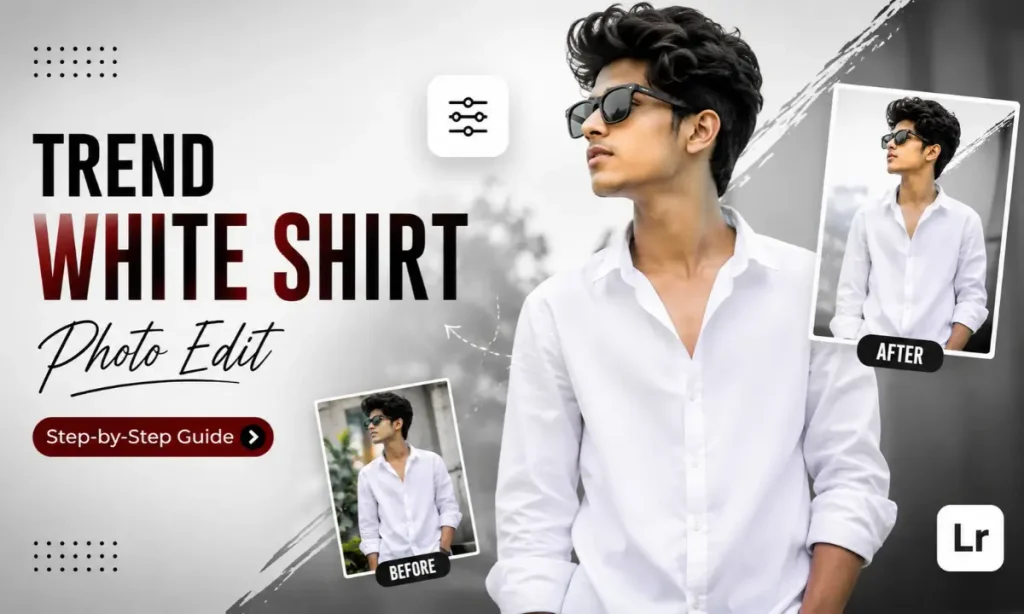
What Is Trend White Shirt Photo Edit?
Trend White Shirt Photo Edit is a popular AI photo editing style where a person’s image is transformed into a stylish portrait featuring a clean white shirt, attractive lighting, and a cinematic or aesthetic background.
You may have seen these edits on Instagram, WhatsApp Status, Facebook, and profile pictures. Some have a dark black background with orange lighting, while others use a professional studio setup, golden-hour lighting, or a modern neon effect.
The reason this style works so well is simple: a white shirt looks clean and easily matches different colours and backgrounds. Whether you want a serious attitude look or a soft aesthetic portrait, you can create many styles from one basic photo.
Best Trend White Shirt Photo Edit AI Prompts
If you are using an AI photo editor, start by uploading a clear photo where your face is properly visible. Then copy a prompt according to the style you want.
For better results, use your original photo instead of generating a completely new face. In my experience, a clear image with decent lighting usually gives much better AI editing results.
1. Cinematic White Shirt Photo Edit Master Prompt
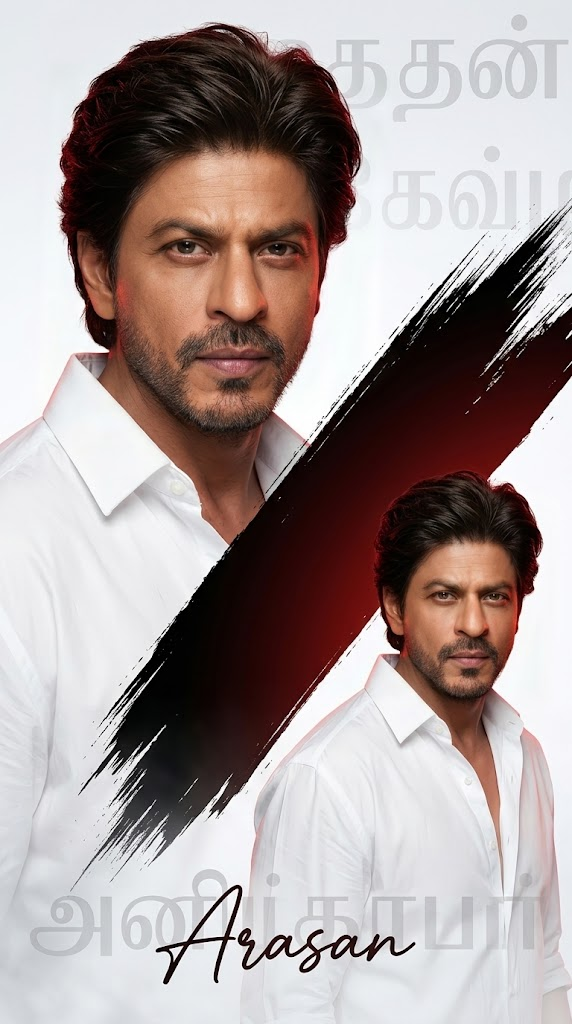
Create a stylish double portrait poster of the same young Indian man, using the uploaded photo as the face reference. Preserve his original facial identity, fluffy curly black hair, natural brown skin tone, thin moustache, and small beard. Dress him in a clean oversized white shirt with realistic fabric folds and texture. Create a premium modern poster composition with a soft white and light grey background. Add a dramatic diagonal paint brush stroke across the centre using a rich black and deep dark red gradient. Place one large close-up portrait on the left side as the main focus, and a smaller duplicate portrait on the lower right side with a matching pose and expression. Use soft cinematic lighting, smooth but natural skin retouching, detailed facial enhancement, glossy realistic eyes, sharp facial features, and subtle red rim lighting around the hair and shoulders. Add a soft fog and fade effect near the bottom for extra depth. Use an ultra-realistic digital art and professional poster design style with a clean modern composition, minimal aesthetic, cinematic shadows, premium colour grading, sharp focus, and high-detail textures. Add elegant Tamil typography as a stylish design element in the background. At the bottom, add the text “Arasan” in a stylish handwritten signature font, slightly overlapping the Tamil letters for a premium poster look. Portrait orientation, 9:16 aspect ratio, ultra-HD, 4K quality, professional photo manipulation, realistic face preservation, high-end cinematic poster design, clean details, visually balanced composition. Negative prompt: distorted face, changed identity, extra fingers, duplicate body parts, unnatural eyes, blurry face, messy typography, low-quality details, overexposed white shirt, unrealistic skin, cartoonish appearance, watermark, logo, unwanted text.
2. Stylish Black Background White Shirt Prompt
Transform the uploaded photo into a stylish professional portrait while keeping the original face and hairstyle unchanged. Add a crisp white shirt and a deep black studio background. Use soft side lighting, natural shadows, detailed skin texture, high contrast, confident expression, realistic photography and a premium cinematic look in HD quality.
3. Black and Orange Trend Photo Edit Prompt
Create a trendy cinematic portrait of the uploaded person wearing a stylish white shirt. Keep the face realistic and unchanged. Use a dark black background with subtle orange rim lighting, dramatic shadows, warm cinematic colour tones, sharp focus on the face, professional studio photography, modern Instagram aesthetic and ultra HD quality.
You can also modify these prompts according to your preference. For example, add words like sunglasses, city background, soft smile, side profile, sitting pose, film grain, or neon lights to create a different result.
Best Styles and Background Ideas for White Shirt Photos
One good thing about a white shirt is that it works with almost every editing style. You just need to choose a background and lighting combination that matches your personality.
A black cinematic background is perfect if you want a bold and serious look. Adding orange or red rim lighting can make the photo look more dramatic and suitable for Instagram.
For a clean and professional profile picture, try a grey studio background with soft lighting. This style looks simple but premium and works well for LinkedIn-style portraits, social profiles, and personal branding.
If you prefer a natural look, go with a golden-hour outdoor background. Warm sunlight and soft background blur can give your photo a realistic cinematic feel without making it look over-edited.
You can also experiment with neon city lights, blurred streets, smoke effects, or minimal white backgrounds. My suggestion is to avoid adding too many elements. A simple background with proper lighting often looks better than an image full of unnecessary effects.
How to Create a Trend White Shirt Photo Edit
Creating this edit is quite simple, especially if you are using an AI photo editing app.
Step 1: Choose a Clear Photo
Use a high-quality image where your face is visible and properly focused. Avoid blurry photos, extreme filters, or images where your face is covered.
Step 2: Select an AI Photo Editing Tool
Choose an AI image editor that allows you to upload a photo and edit it using text prompts. You can also use traditional editing apps if you want more manual control over colours and lighting.
Step 3: Copy Your Preferred Prompt
Select one of the prompts above and paste it into the AI editor. If the tool supports image-to-image editing, make sure it is instructed to preserve your original face and identity.
Step 4: Adjust the Background and Lighting
If the first result does not look right, change a few details in the prompt. You can ask for softer lighting, a darker background, natural skin texture, or a different colour tone.
It is normal to generate two or three versions before getting a result you actually like.
Step 5: Save the Image in HD Quality
Once you are happy with the final result, export it in high quality. For Instagram posts, a 4:5 ratio works well, while 1:1 is useful for profile pictures. For Stories, Reels, and WhatsApp Status, use 9:16.
Best Apps for Trend White Shirt Photo Editing
There are many apps available for creating this type of edit. The right choice depends on whether you prefer AI editing or manual photo editing.
You do not need to use every app. For most people, one AI editing tool and one basic photo editor are enough.
Final Thoughts
The Trend White Shirt Photo Edit is a simple but effective way to give an ordinary photo a stylish and professional look. You can go for a dark cinematic portrait, a clean studio photo, a warm golden-hour edit, or a bold black-and-orange style.
The key is not to copy every trending effect blindly. Start with a good photo, choose a style that suits you, and keep the final result natural. Try the AI prompts above, make small changes based on your preferred look, and experiment with different lighting and backgrounds.
With a little creativity, even a simple white shirt photo can turn into a clean, stylish, and share-worthy HD portrait.
Frequently Asked Questions

Mr James writes for Ipit In. He shares easy AI prompts, tech tips, and finance guides that anyone can follow. Every prompt and guide is tested first, so readers get information they can trust.