
Flower Photo Edit: Best AI Prompts for Stunning Photos
Flower Photo Edit has become one of the popular trends among people who love AI photo editing, aesthetic portraits, Instagram photos, and creative profile pictures. With the help of AI image editing tools, you can turn a simple photo into a beautiful portrait surrounded by roses, sunflowers, pink flowers, flower petals, or a dreamy floral background.
The best part is that you do not need to learn Photoshop or spend hours editing your picture manually. In most AI photo editors, you simply upload your photo, add a proper prompt, and generate different versions.
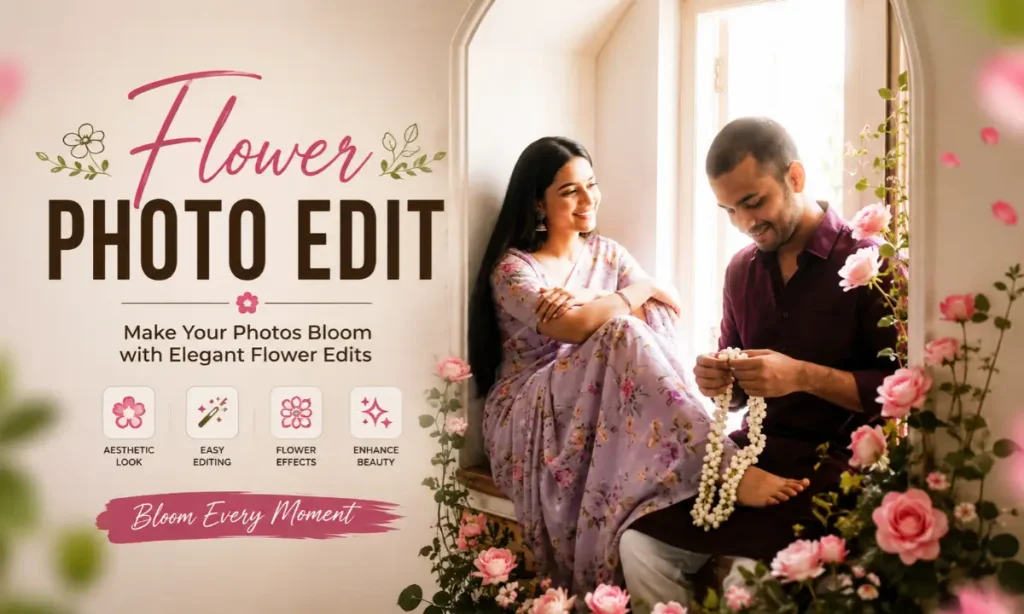
I have seen that a small change in the prompt, such as changing red roses to white lilies or adding cinematic lighting instead of soft natural light, can completely change the final look. That is why choosing the right prompt is important.
In this guide, you will find ready-to-use Flower Photo Edit prompts, popular editing ideas, simple steps, and useful tips to create better AI photos. Also try: Trend White Shirt Photo Edit.
What Is Flower Photo Edit?
Flower Photo Edit simply means editing a photo by adding flowers or floral elements to it. These can include:
Earlier, creating this type of image required manual editing using tools like Photoshop. Now, AI image generators and AI photo editing apps can create similar effects with a text prompt.
For example, you can upload your portrait and write something like:
“Create a realistic portrait with soft pink flowers around the face, natural skin texture, dreamy lighting, and a blurred floral background.”
The AI will use your description to create the floral effect. Of course, results can vary depending on the tool and the original image, so trying two or three prompt variations usually gives better results.
Best Flower Photo Edit Prompts
Below are some ready-to-use prompts for different styles. You can copy them directly and then change details like flower colour, clothes, background, or lighting according to your photo.
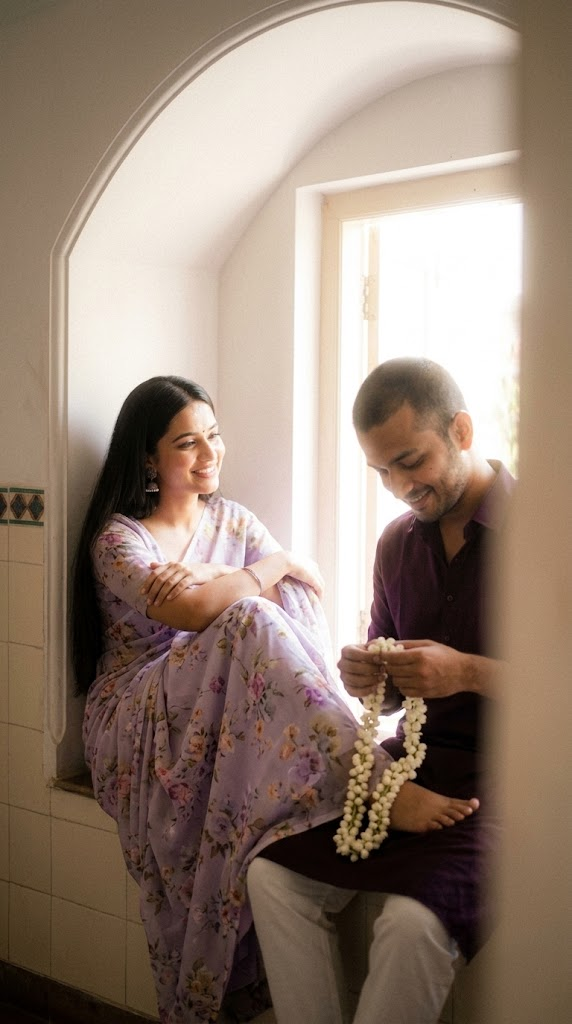
Soft low-resolution indoor candid couple portrait with subtle motion blur, fine grain, and pronounced creamy diffusion glow, high-key bright exposure with lifted whites and gentle highlight bloom, warm airy color grading with reduced contrast and softly faded shadows. Strong wraparound ambient daylight entering from the right side, combined with a soft frontal fill/flash effect that removes harsh shadows, keeping both faces fully illuminated with smooth, even skin tones and no dark shadow pockets. Subtle halation around bright areas creates a dreamy, washed-light effect while maintaining clear subject visibility. Medium shot in a 9:16 vertical aspect ratio, framed slightly off-center with a soft blurred foreground obstruction along the right edge. Compact camera or smartphone-like focal length, approximately 35–50mm equivalent, with shallow-to-moderate depth of field, overall softness, and glowing atmospheric haze. Scene set inside a traditional architectural window alcove with a curved arch overhead and decorative tiled border details along the left wall. Both subjects are seated on a built-in ledge, facing each other at a natural angle. Female subject on the left: sitting sideways with her back gently resting against the wall, long straight dark hair falling naturally over her shoulder, wearing a light pastel saree with delicate floral patterns and a darker lavender/purple-toned blouse. Small traditional earrings, relaxed posture, one leg bent and extended toward the male subject with her foot resting gently on his lap. Arms loosely folded over her knee, head slightly tilted toward him. Her face appears softly glowing with diffused highlights and minimal shadow contrast, smiling warmly with gentle eyes focused on the male subject. Male subject on the right: sitting slightly lower and forward on the ledge, body naturally angled toward her, wearing a dark maroon-purple shirt, short neatly styled hair, and light stubble. His head is tilted slightly downward with a gentle, shy smile as he looks at the white jasmine flower garland in his hands. His face is evenly illuminated with bright, soft light and no harsh or deep shadows. He is holding and arranging a white jasmine garland, which drapes naturally across his hands and partially over her foot. The interaction should feel intimate, natural, warm, and candid, capturing a quiet romantic moment between the couple. Keep the body language relaxed and believable, with authentic facial expressions, realistic proportions, soft glowing skin, natural fabric texture, subtle camera imperfections, dreamy indoor atmosphere, and an effortless candid photography feel.
Pink Flower Aesthetic Photo Edit
Transform the original photo into a soft and dreamy portrait with beautiful pink flowers around the subject. Preserve facial features, natural skin texture, pastel colours, soft natural lighting, blurred floral background, aesthetic photography, and realistic details.
Sunflower Photo Edit
Create a realistic outdoor portrait with bright yellow sunflowers surrounding the subject. Add warm sunlight, natural shadows, a beautiful garden background, vibrant colours, detailed flower petals, and a cheerful photography style while keeping the original face natural.
White Flower Portrait Edit
Create an elegant portrait with white flowers placed naturally around the subject. Keep the face and hairstyle unchanged, use soft studio lighting, a clean background, realistic flower details, gentle shadows, and a premium editorial photography look.
Rose Petals Around the Face
Edit the original photo with soft red and pink rose petals floating around the face. Preserve facial identity and natural skin texture, add cinematic lighting, shallow depth of field, soft focus, realistic petals, and a romantic atmosphere.
Flower Crown Photo Edit
Create a realistic portrait with a natural flower crown placed gently on the subject’s head. Use fresh colourful flowers, detailed hair, natural facial features, soft outdoor lighting, a blurred garden background, and realistic photography.
Holding a Flower Bouquet
Create a realistic portrait of the subject holding a beautiful bouquet of fresh flowers. Keep the original face and body proportions natural, add realistic hands, detailed flowers, soft lighting, natural shadows, and a professional portrait photography style.
How to Create a Flower Photo Edit
Popular Flower Photo Edit Ideas
If you are not sure which style to try, these flower editing ideas are currently suitable for profile pictures, Instagram posts, WhatsApp DP, and other social media photos.
Romantic Rose Portrait: Use red or pink roses with soft lighting and floating petals for a romantic look.
Dreamy Pink Floral Edit: Pink flowers, pastel tones, and a blurred background create a soft aesthetic portrait.
Sunflower Outdoor Photo: Bright yellow sunflowers and warm sunlight work well for a cheerful and natural image.
Flower Crown Portrait: A simple floral crown can give your photo a fresh and creative appearance.
Flowers Around the Face: This style uses flowers as a natural frame around the face while keeping the subject clearly visible.
Holding a Bouquet: A bouquet adds a realistic photography feel and works well for portraits and festive photos.
Floral Garden Background: Replace a normal background with a colourful flower garden for a more attractive look.
Dark Floral Cinematic Edit: Combine dark backgrounds, red flowers, and dramatic lighting for a bold and stylish portrait.
How to Write a Better Flower Photo Editing Prompt
A good AI prompt does not need complicated English. You simply need to describe what you want clearly.
A useful formula is:
Subject + Flower Type + Flower Placement + Background + Lighting + Photography Style
For example:
“Realistic portrait of a young Indian man, surrounded by red roses, flowers placed around the shoulders, dark blurred background, cinematic lighting, natural skin texture, professional portrait photography.”
You can customise this prompt based on your photo.
Try adding details about:
One important tip is to mention “preserve the original face and natural facial features” when editing an existing photo. This may help reduce unnecessary changes to the person’s appearance, although the exact result depends on the AI tool you use.
Tips for Realistic Flower Photo Edits
AI can create impressive results, but the final image can sometimes look too artificial. These simple tips can help:
For example, if your photo has warm sunlight, asking for dark studio lighting may create an unnatural result. Try to keep the original photo and prompt style somewhat consistent.
Best AI Tools for Flower Photo Editing
Different AI tools offer different types of editing features. Some are better for generating completely new images, while others are useful for editing an existing photo.
Popular options in this space include Google Gemini, Adobe Firefly, Canva AI tools and Microsoft Designer. The best choice depends on whether you want to edit your existing image, generate a new portrait, or simply add flowers to the background.
Final Thoughts
Flower Photo Edit is an easy way to give an ordinary photo a fresh and creative look. Whether you prefer red roses, soft pink flowers, bright sunflowers, or a complete floral garden background, AI photo editing gives you plenty of options to experiment with.
The key is to start with a good photo and use a clear prompt. Do not worry if the first result is not perfect. Make small changes, try different flower styles, adjust the lighting, and generate another version.
With the prompts and ideas shared above, you can create your own aesthetic flower photo edit for Instagram, profile pictures, social media posts, or simply for fun.
Frequently Asked Questions

Mr James writes for Ipit In. He shares easy AI prompts, tech tips, and finance guides that anyone can follow. Every prompt and guide is tested first, so readers get information they can trust.