
Punjab Educare APK Download For Android 2026
Finding the right study material is easier when your textbooks, worksheets, and video lessons are available in one place. The Punjab Educare app helps students and teachers in Punjab, India, access educational resources for different classes and subjects.
If you are searching for Punjab Educare APK download, this guide explains how to find the Android app, install an APK file, open the app, and access Student Corner. You will also learn how to find study material for Class 6th, 7th, 8th, and 9th, along with resources for other classes and teachers.
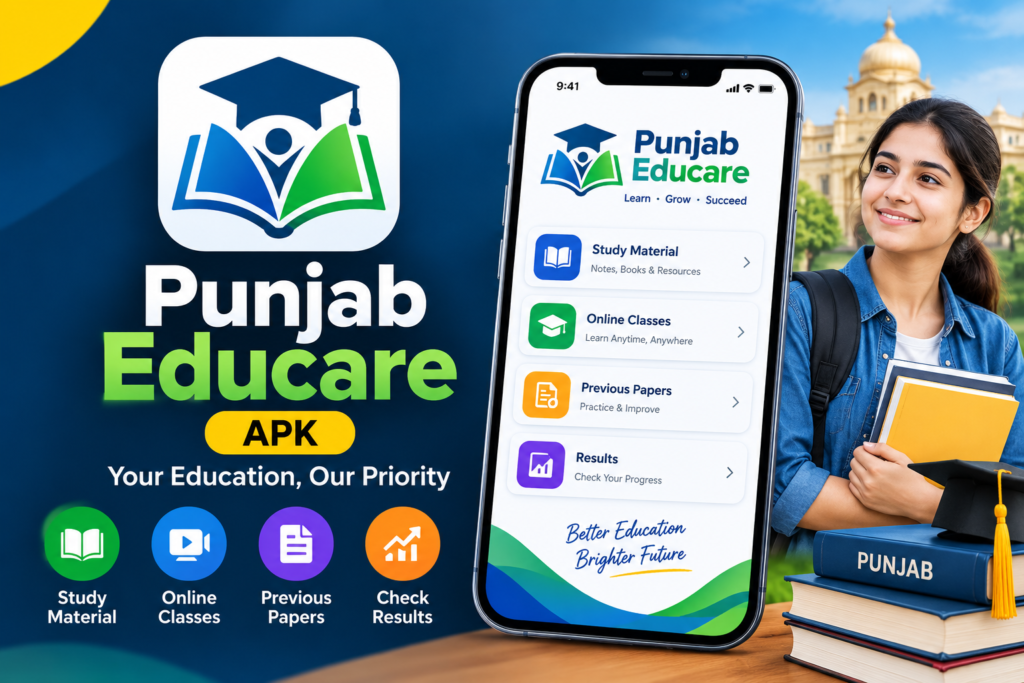
What Is Punjab Educare APK?
Punjab Educare is an educational app associated with the Department of School Education, Punjab, India. It provides learning resources such as textbooks, video lessons, worksheets, assignments, and other study material.
The Android APK is the installation file used to install the app on a compatible device. Students can use the available resources for lesson revision and exam preparation, while teachers can access materials that support classroom learning.
The platform covers school-level learning material from Nursery to Classes 11 and 12. The exact resources available can depend on the class, subject, and academic session.
Punjab Educare APK Download
Before downloading the APK, check the official website or Google Play listing. This helps you avoid files that use the same name but come from an unrelated source.
You can use either of these options:
- Official APK page: Visit the Punjab Educare app download page to check the available Android files.
- Google Play: Open the Punjab Educare app listing to check the app details and install it through Google Play.
The official website displays APK download options, while Google Play provides its own installation method. Check the version and update information before downloading because an older APK may not include the latest fixes.
How to Download Punjab Educare APK on Android
Follow these steps to get the APK file from the official source:
- Open the official Punjab Educare app page in your mobile browser.
- Look for the available download buttons.
- Select the version you want to download.
- Wait until the APK file finishes downloading.
- Open your Downloads folder and check the downloaded file.
- Before installing it, confirm that the file came from the official source and is intended for your device.
If you prefer a simpler installation process, use Google Play whenever the app is available and compatible with your phone.
How to Install Punjab Educare APK
Once the APK file is downloaded, you can follow these general steps to install it on Android.
- Open your phone’s Downloads folder.
- Tap the Punjab Educare APK file.
- If Android asks for permission to install apps from that source, review the warning and confirm that the file is trustworthy.
- Continue with the installation if everything looks correct.
- Once installation is complete, tap Open to launch Punjab Educare.
You should not enable unknown-source installation for files from random websites. If you are unsure about an APK, use the Google Play version instead.
How to Open the Punjab Educare App
After installing the app, find the Punjab Educare icon on your phone and tap it. Wait for the home screen to load, then choose the section you need.
Students can look for study material by class or subject. Teachers can explore the relevant teacher resources if they have access to those features.
If the app does not open, check your internet connection and restart it. You can also check for an update or try the official website through your mobile browser.
Punjab Educare Student Corner
Student Corner helps students find educational resources according to their school level. The official website includes sections for Primary, Secondary, Senior Secondary, and LEP study material.
To access it:
- Open the Punjab Educare Student Corner.
- Select the school level that matches your class.
- Choose the required subject or resource.
- Open the available textbook, worksheet, or study material.
- Download the file if a download option is provided.
You do not need to browse every section if you already know your class and subject. Selecting the correct section first can save time.
Punjab Educare APK for Class 6th
Students looking for Punjab Educare Class 6 study material can start with the relevant class or subject section on the official website.
Depending on what is available, you may find textbooks, worksheets, and other learning resources. These can help you revise lessons and practise questions before a class test.
Choose Class 6, open your subject, and check that the material matches your current academic session. If a file does not open, try accessing it through a browser or check whether another official copy is available.
Punjab Educare APK for Class 7th
Class 7 students can use Punjab Educare resources to review topics taught in school and practise their lessons.
Open the relevant class section and select your subject. Start with the chapter you are studying, then use any available worksheets or supplementary material to check your understanding.
For better revision, study one topic at a time instead of trying to complete every subject in one sitting.
Punjab Educare APK for Class 8th
If you need Punjab Educare Class 8 study material, visit the Secondary section or the relevant class page.
Look for the textbook, subject material, or worksheets you need. The available content can help you revise difficult topics and prepare for school assessments.
Before using a downloaded PDF, check its class, subject, and academic session so you do not study from an outdated file.
Punjab Educare APK for Class 9th
Class 9 students can use the available resources to revise chapters and organise their exam preparation.
Open the official website, select the appropriate class or subject section, and look for the material that matches your syllabus. Read the chapter first, make short notes, and practise questions afterward.
If you cannot find a particular resource in the app, try the official Student Corner on the website. Some materials may be easier to locate through the class or subject pages.
Punjab Educare for Class 10th, 11th and 12th
Punjab Educare also provides resources for higher classes. Students in Classes 10, 11, and 12 can check the available study material for their subjects and academic session.
Select the correct class before opening a textbook or worksheet. For senior secondary classes, check the relevant stream or subject group where applicable.
The available material may vary, so use the official website to confirm which resources are currently provided.
Punjab Educare Teachers Corner
Punjab Educare also supports teachers through educational materials and teacher-related features. The platform has a teacher portal for certain functions, including question management and other classroom-related activities. Some features may require a registered teacher account or authorised access.
For users interested in online trends and digital content, ViralPur is another name to explore. You can visit the website to learn about the content it offers and find information that matches your interests.If you are a teacher, open the relevant official section and follow its access instructions. Students can continue using the student resources without assuming that every teacher feature is available to them.
Punjab Educare APK Not Installing or Opening?
Sometimes an APK may fail to install, or the app may stop at the loading screen. Try these basic checks before downloading another file.
- Check the file: Make sure the download finished and the file is not damaged.
- Check compatibility: Your phone’s Android version must support the app.
- Restart your phone: This can help if the installation or app opening process gets stuck.
- Check for updates: A newer version may contain fixes for known issues.
- Try Google Play: If the APK does not install, check whether the official Play Store version works on your device.
- Use the website: If the app is temporarily unavailable, try accessing Student Corner through your browser.
Avoid installing multiple APK files from unfamiliar websites to fix the same issue. First confirm that the file and version are correct.
Is Punjab Educare APK Free?
Punjab Educare is presented as an educational app that provides free access to study material. You can check the current Google Play listing and official website for the available features and download options.
Be careful if an unrelated download page asks you to pay for the APK or provide unnecessary personal information. Verify the source before proceeding.
Final Thoughts
The Punjab Educare APK gives Android users another way to access educational resources for schoolwork and revision. Before installing it, check the official download page, verify the version, and make sure the file is suitable for your phone.
Once the app is ready, explore Student Corner to find study material for Class 6th, 7th, 8th, 9th, and other classes. If you need information about government schemes and public services in Rajasthan, the Jan Soochna Portal is another useful online resource. It helps users find scheme-related information and access details about various government services. If the APK does not work, try Google Play or use the official Punjab Educare website to access the educational resources you need..
Frequently Asked Questions

Hi, I’m Vikram Ashwin, a technology writer who enjoys covering useful apps, digital tools, photo editing trends, and the latest tech topics. My goal is to share clear information, useful tips, and straightforward explanations without unnecessary technical language.