
Nocebo Launcher APK Latest Version Download For Android in 2026
Your phone’s home screen is something you look at every day, so using the same static grid can eventually feel a little boring. Nocebo Launcher APK takes a different approach by replacing the usual home screen experience with a rotating and interactive layout. Instead of simply placing icons in rows and columns, it turns your apps into a more dynamic wheel-style interface.
The idea is quite different from a normal Android launcher. You can organize your favorite apps around the spinning layout, customize the center of the interface, use gestures and adjust different parts of the home screen. If you enjoy making your phone feel more personal rather than keeping the default Android look, Nocebo Launcher is worth exploring.
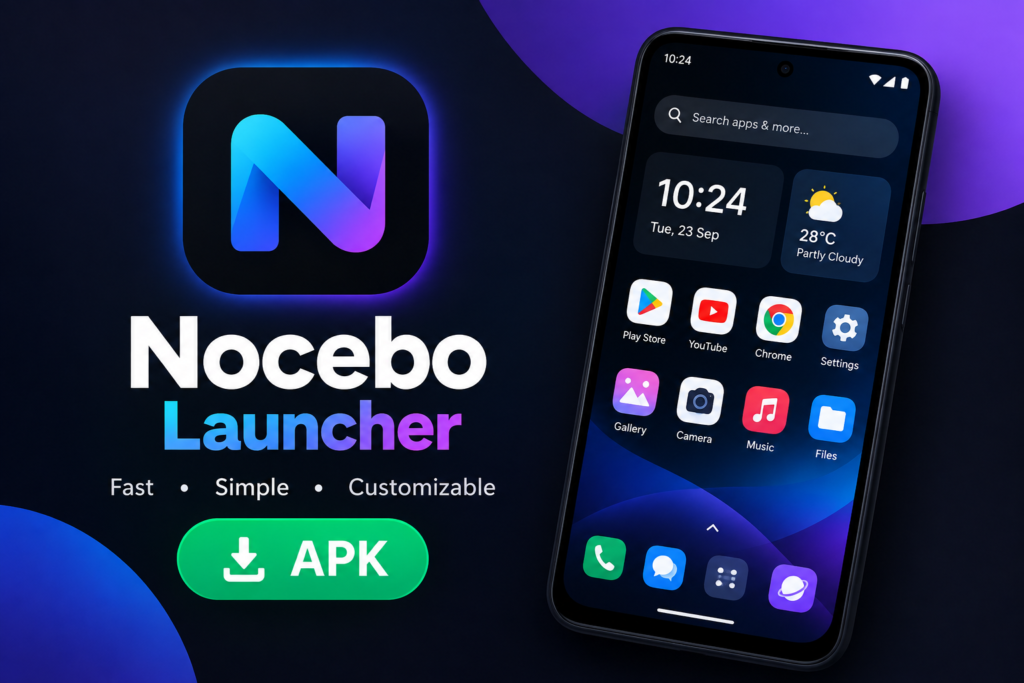
What Is Nocebo Launcher APK?
Nocebo Launcher APK is the Android application package for Nocebo Launcher, a personalization app designed to change the way your Android home screen works. Its main feature is a spinning layout that lets you navigate through apps using an interactive wheel instead of a traditional static grid.
The launcher also includes a customizable center sticker, app organization tools, folders and widget support. The current versions require Android 12 or higher, so older Android phones may not be compatible with the latest release.
Why Is Nocebo Launcher Different?
Most Android launchers follow a familiar pattern. You have app icons, pages, a dock and sometimes a search bar. Nocebo Launcher changes this basic idea by putting a rotating wheel at the center of the experience.
At first, it can feel unusual because your brain is already trained to use a normal grid. After spending some time with it, though, the wheel can become a natural way to reach the apps you use most often. This different approach is one of the main reasons someone might choose Nocebo over a more traditional launcher.
Nocebo Launcher APK Features
Spinning Home Screen
The spinning layout is the main feature of Nocebo Launcher. Your selected apps can be arranged around an interactive wheel that you can rotate to move between them.
This is not just a visual effect. The wheel becomes part of the way you navigate your phone, giving the home screen a completely different feel from standard Android launchers.
Custom Center Sticker
You can personalize the center of the wheel with your own image or sticker. This small detail can make the launcher feel more personal because the center becomes a visual point on your home screen.
You could use a simple logo, a favorite picture or something that matches your wallpaper. The goal is not to make the phone complicated, but to give the interface a little more of your personality.
Dynamic App Drawer
Nocebo Launcher includes an app drawer designed around easier organization. You can sort applications using drag-and-drop controls and create folders to keep related apps together.
This can be useful when your phone has dozens of applications. Instead of searching through a long list every time, you can organize the apps you actually use and keep less important ones out of the way.
Widget Support
Widgets are still useful even with the unusual wheel design. Nocebo Launcher supports widget integration so you can keep useful information and shortcuts on your home screen.
You can therefore combine the creative spinning layout with practical Android features rather than choosing between customization and everyday convenience.
Deep Customization
The launcher gives you control over different parts of the interface. You can adjust the appearance and behavior of the wheel and use different customization options to make the layout feel more comfortable.
This is where the launcher becomes more interesting after the first few minutes. You are not limited to the default setup, so you can gradually change it as you learn which arrangement works best for you.
Gesture Controls
Gestures can make the launcher faster to use once you become familiar with them. Some system actions can also be connected to gestures through Android’s AccessibilityService.
This feature is optional for certain configurations. You do not necessarily need to enable every permission or gesture feature just to use the basic launcher.
App Predictions
Recent versions can use Usage Access to provide app predictions on the spinner wheel and support accurate app-closing animations. According to the developer’s permission explanation, this usage information is processed on the device rather than being collected or shared as app activity.
If you do not need this feature, it is still worth checking which permissions you have enabled. A launcher has a special position on your phone because it interacts with the home screen and other system functions.
Hidden Apps
Nocebo Launcher also provides customization options that can include hidden apps. This can help keep the home screen cleaner when you have applications that you rarely use but do not want to uninstall.
A less crowded screen can make everyday navigation feel much better, especially if you prefer a minimal setup.
Custom Fonts and Wheel Settings
The launcher provides options for adjusting parts of the interface such as wheel behavior and fonts. You can experiment with these settings until the layout feels comfortable rather than simply using the default configuration.
This is one of those features that may not sound important when reading about the app, but it becomes useful when you start using the launcher every day.
How to Use Nocebo Launcher
After installing the launcher, set it as your default home application if Android gives you that option. You can then start arranging your favorite apps around the wheel.
Do not try to customize everything on the first day. Start with the apps you use most often and spend a little time learning the wheel. Once the basic navigation feels natural, you can move on to folders, widgets, gestures and other settings.
How to Download Nocebo Launcher APK
If you are looking for Nocebo Launcher APK, first check whether your phone supports the current version. The latest version listed by Uptodown requires Android 12 or higher, while AppTeka also lists Android 12L for version 1.0.7.2. Version requirements can change with new releases, so always check the specific APK information before installing it.
If the official Google Play version is available for your device, that is generally the simpler way to install the app because updates are handled through the Play Store. When using an APK file from another source, compare the package name and version before opening the file.
The package name shown by APK sources is boo.noce.launcher. Checking this detail can help you avoid downloading a completely different application with a similar name.
How to Install Nocebo Launcher APK
Download the APK file from a source you trust and open it from your Android downloads folder. If Android blocks the installation, you may need to allow installation from the specific source you used.
Once the installation is complete, open Nocebo Launcher and follow the setup instructions. You can then select your preferred home screen configuration and decide which optional permissions or features you want to enable.
If you already have another launcher installed, Android may ask you which launcher should be used as the default. You can change this later from your phone’s default home app settings.
Nocebo Launcher APK Requirements
The current version listed by Uptodown requires Android 12 or higher. AppTeka’s version 1.0.7.2 also lists Android 12L as the minimum requirement.
This is important if you have an older phone. Installing an older version may sometimes be an option, but older releases can lack newer features or fixes. AppTeka lists several previous versions, which shows that the app has been receiving frequent updates.
Nocebo Launcher Permissions
A launcher can need more system access than a normal photo or utility app because it controls parts of your home screen. Nocebo Launcher explains that AccessibilityService can be used for optional system actions such as screen-off gestures.
The app also explains that Usage Access can support app predictions and that Display Over Other Apps can be used for the floating spinner and screen transition effects. If you are also using apps such as Facebook Mod APK, it is a good idea to review their permissions separately rather than assuming they work the same way as the launcher. According to the developer’s explanation, these launcher functions are processed on the device and the app does not use them to monitor screen content.
You should still review permissions yourself before enabling them. If you only want the basic launcher experience, there is no reason to turn on every optional feature without understanding what it does.
Is Nocebo Launcher APK Safe?
The answer depends partly on where you download the APK. AppTeka says its listed version was scanned with ClamAV, APKiD and Quark-Engine without threats being detected, while Uptodown provides a certificate signature and security information for its listed APK.
However, a scan on one download platform should not be treated as a universal guarantee for every Nocebo Launcher APK file found online. Different websites can host different versions or modified files.
For this reason, check the package name, version, Android requirement and source before installation. If a random website offers a modified version with unusual claims, it is better to avoid it.
Is Nocebo Launcher Free?
Nocebo Launcher is listed as free by AppBrain and Uptodown. AppBrain also lists it without ads, while the developer has described the project as a free launcher without third-party analytics or cloud telemetry.
Free does not mean you need to accept every permission request. You can still review the settings and only enable the features you actually want to use.
Does Nocebo Launcher Collect Data?
The developer’s current permission explanation says that data used for app predictions through Usage Access is processed on the device and that the app does not collect, track or share app activity. The Google Play listing also states that the developer declares no data collected and no data shared with third parties. If you also install apps such as Free Fire APK, it is worth checking their permissions and privacy details separately because they can differ from those of a launcher.
Privacy information can change with future updates, so checking the current app listing and privacy information is always a good habit before installing a new version.
Advantages of Nocebo Launcher
The biggest advantage is its originality. If you are tired of seeing the same Android home screen every day, the spinning interface can make your phone feel completely different.
The customization is another strong point. You can organize apps, use folders and widgets, personalize the center of the wheel and adjust parts of the interface to suit your habits.
It can also be useful for people who prefer keeping their most-used apps close at hand. Instead of filling several pages with icons, you can build a setup around the applications you actually use.
Disadvantages of Nocebo Launcher
The unusual design is also its biggest weakness for some users. Someone who has spent years using a traditional Android grid may need time to understand the spinning layout.
AppBrain also notes that the lack of a traditional grid can create a steeper learning curve and that Nocebo has fewer built-in themes and icon packs than some competing launchers.
Android compatibility can be another limitation. The latest version requires Android 12 or newer, so people using older devices may not be able to install the newest release.
Nocebo Launcher vs Other Launchers
Nocebo Launcher is not trying to win by copying popular launchers. Its main selling point is the spinning interface, while launchers such as Niagara, Nova and other alternatives follow more familiar navigation patterns.
If you want something you can understand immediately, a traditional launcher may feel easier. If you enjoy experimenting and want your home screen to look and work differently, Nocebo is more interesting.
Common Nocebo Launcher Problems
The first problem you may notice is simply getting used to the interface. Give yourself some time before deciding that the wheel is difficult to use. Once your most-used apps are arranged properly, navigation can become much easier.
Another issue can be compatibility. If the APK refuses to install, check the Android requirement first. Also make sure you are not trying to install an incompatible or incomplete package.
If a new version introduces a problem, check whether a newer update is available. APK sources show that Nocebo has received several releases in a short period, including fixes for themed icons, light-mode labels, animations and other small issues.
How to Make Nocebo Launcher Easier to Use
Start small. Put only your most important apps around the wheel instead of trying to organize your entire phone immediately.
Keep communication, browser, camera, music and other everyday apps close to the areas you can reach comfortably. After a few days, you will know which apps need to be moved and which ones can stay in the drawer.
Also spend some time adjusting the wheel speed and other interface settings. A setup that feels too fast or too slow can make the launcher less comfortable than it needs to be.
Should You Try Nocebo Launcher?
If you want a completely different Android home screen, Nocebo Launcher is an interesting option. Its spinning layout is genuinely different from the standard grid and gives you plenty of room to build your own setup. If you also follow gaming releases such as GTA 6 APK, the launcher can provide a different way to organize your gaming-related apps and shortcuts.
But it is not for everyone. If you prefer a simple grid where everything works exactly as expected, the learning curve may feel unnecessary. If you enjoy customization and do not mind spending some time learning a new interface, the unusual design can be the fun part.
Final Thoughts
Nocebo Launcher APK offers a different way to use an Android phone. Its spinning home screen, customizable center sticker, dynamic app drawer, folders, widgets and gesture options give you more than a simple visual theme.
The most important thing is to understand what you are installing and what permissions you are enabling. Check the Android requirement, package name and APK version before installation, and give yourself some time to learn the interface instead of judging it after the first few minutes.
Sometimes a phone does not need a completely new device to feel fresh. A different home screen can be enough to make everyday actions feel new again.
Frequently Asked Questions

Hi, I’m Vikram Ashwin, a technology writer who enjoys covering useful apps, digital tools, photo editing trends, and the latest tech topics. My goal is to share clear information, useful tips, and straightforward explanations without unnecessary technical language.