
ChatGPT Photo Edit Secret Code: 100+ Codes & Prompts Tested
ChatGPT Photo Edit Secret Code has become one of the most talked about trends among people who love AI photo editing, aesthetic portraits, Instagram photos, and creative profile pictures. With the help of ChatGPT’s image tools, you can turn a normal photo into a cinematic portrait, an anime style picture, or a golden hour photo just by typing one short code.
The best part is that you do not need to take course of any editing apps like Photoshop. You simply upload your photo, type a short code, and generate different versions.
I have tried many of these codes on my own photos, and a small change, such as switching /goldenhour to /cinematic, can completely change the final look. That is why picking the right chatgpt image code and knowing how to use it properly makes a real difference. Also check: ipit in rose edit & batix.
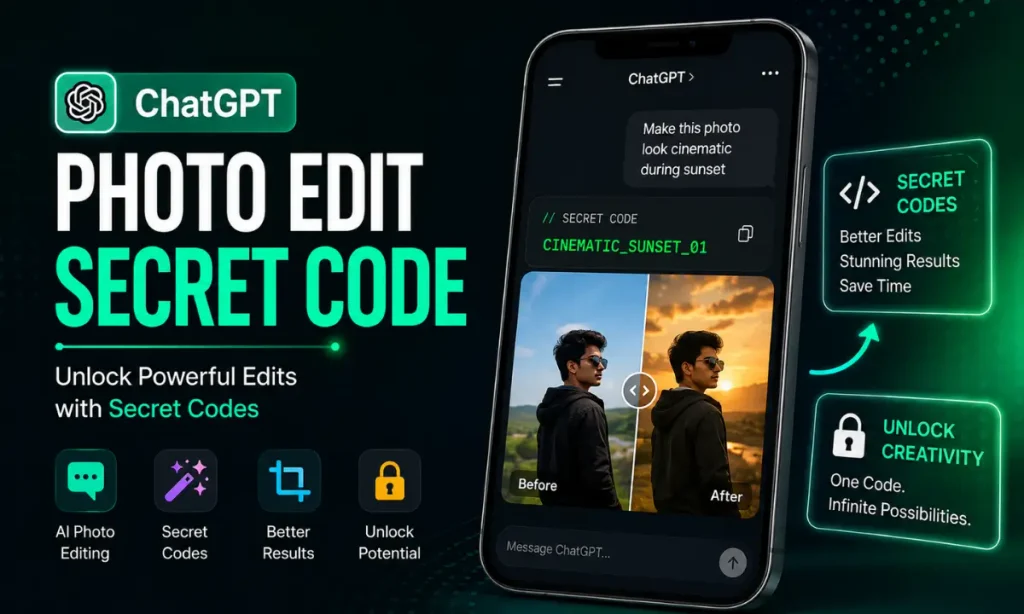
What Is a ChatGPT Photo Edit Secret Code?
A ChatGPT Photo Edit Secret Code simply means a short slash command, like /cinematic, /goldenhour, or /anime, that you type after uploading a photo to ChatGPT. The AI reads this short word as a style instruction and creates a new version of your photo in that look.
It is important to understand one thing clearly. These are not official hidden features built by OpenAI. There is no secret unlock system inside ChatGPT. These secret prompt codes work simply because they are short prompt shortcuts that the AI understands as style instructions, instead of you typing a long sentence every time.
For example, instead of writing:
“Make my photo look cinematic with soft lighting and a blurred background.”
You can just type:
/cinematic
Results can vary depending on your photo and the AI model, so trying a code first and then adding a small detail if needed usually works best.
How to Use Trending ChatGPT Photo Edit Secret Codes
Best ChatGPT Photo Edit Secret Codes by Category
Below are the most useful codes, grouped by style. You can copy any code directly and use it with your photo.
Camera and Composition Codes
/CloseUp– Focused shot on the face/FullBody– Complete subject with surroundings/LowAngle– Powerful, dramatic angle/HighAngle– View from above/DroneShot– Aerial, top down view/ShallowDOF– Blurred background with sharp subject
Lighting Codes
/GoldenHour– Warm sunset style light/BlueHour– Cool, calm evening tone/SoftLight– Gentle, even lighting/Backlight– Light coming from behind/CinematicLight– Dramatic, movie style lighting
Art and Drawing Style Codes
/watercolor– Soft watercolor painting look/oilpainting– Traditional oil painting style/pencilsketch– Hand drawn pencil sketch/comicbook– Comic book panel style/mangacover– Manga style book cover look
Anime and Modern Style Codes
/anime– Japanese anime style/ghibli– Studio Ghibli inspired look/pixar– Pixar style 3D animation/cyberpunk– Neon futuristic city style/y2k– Early 2000s style design
Fantasy and Festival Style Codes
/fantasy– Magical fantasy world/mythology– Gods and legends theme/samurai– Japanese warrior style/ancientegypt– Egyptian pharaoh theme/wizard– Magic and spell theme
Nature and Space Codes
/sunset– Warm evening sky/galaxy– Colorful galaxy background/underwater– Ocean, underwater theme/nightcity– City lights at night/rain– Rainy, moody atmosphere
Design and Poster Codes
/poster– Movie poster style/magazinecover– Magazine cover look/idcard– ID card style photo/passportphoto– Passport photo style/logo– Simple logo design look
Background and Retouch Codes
/BackgroundChange– Replace the background only/ColorGrade– Apply a warm or cool color tone/ProfessionalRetouch– Clean, polished look with natural skin
How to Combine Multiple Photo Edit Secret Codes
You do not need to use just one code. You can combine two or three codes together for a more detailed result.
Cinematic portrait: /CloseUp /GoldenHour /CinematicLight
Professional headshot: /ProfessionalRetouch /SoftLight
Night city photo: /nightcity /ColorGrade
A useful tip is to keep it simple. Using too many codes together at once, such as five or six styles in one prompt, usually makes the photo look unnatural and can change your face more than expected. Two or three codes at a time gives better results.
How to Write a Better ChatGPT Photo Edit Prompt
A good prompt does not need complicated English. You just need to describe what you want clearly.
A simple formula is:
Subject + Code + Lighting + Background + What to Keep Unchanged
For example:
“Portrait of me,
/cinematic, soft evening light, blurred city background, keep my exact face and skin tone unchanged.”
One important tip is to always mention that your face and natural features should stay unchanged. This is the part most people forget, and it is the main reason edited photos sometimes do not look like the original person anymore.
Popular ChatGPT Photo Edit Ideas
If you are not sure which code to try first, these ideas work well for common needs.
Professional Photo: Use /ProfessionalRetouch with /SoftLight for a clean LinkedIn or resume style photo.
Viral Instagram Post: Try /GoldenHour with /CinematicLight for a warm, aesthetic look.
Festival Theme Photo: Codes like /fantasy or /mythology work well for festival posts.
Anime Style Profile Picture: /anime or /ghibli gives a colorful, animated look.
Birthday Poster: Combine /poster with a color code for a stylish design.
Night Reel or Story: /nightcity with /ColorGrade creates a cool, urban look.
Tips for Better ChatGPT Photo Edit Secret Code Results
AI can create impressive results, but the final photo can sometimes look too artificial. These simple tips can help.
Why Your ChatGPT Photo Edit Code Might Not Work
- Face looks different: Your source photo may be small, angled, or filtered. Use a clear front facing photo.
- Style not applied properly: Add one small extra detail after the code to guide the AI better.
- Hands look strange: This is a common AI limitation. Try cropping tighter or hiding hands where possible.
- Photo looks fake or overprocessed: You may be using too many codes together. Reduce to one or two.
- Text in posters or ID cards looks wrong: AI still struggles with small text, so keep text simple.
Is Using ChatGPT Photo Edit Secret Codes Safe?
Yes, using short prompt codes is a normal way of using ChatGPT and is not against its usage policy. What you should avoid is uploading someone else’s photo without their permission, or creating anything misleading or offensive. Always use your own photos, or photos you have clear permission to edit.
Final Thoughts
ChatGPT Photo Edit Secret Code is a simple and fun way to give an ordinary photo a fresh new look. Whether you want a cinematic portrait or an anime style picture or a festival theme photo or a clean professional headshot these short codes give you an easy starting point.
The key is to start with a good quality photo and use one or two codes at a time and always mention that your face should stay unchanged. Do not worry if the first result is not perfect. Make small changes like try a different code and generate again.
With the codes and tips which i shared above you can build your own list of favorite ChatGPT photo edit codes for Instagram profile pictures or festivals or simply for fun.
Frequently Asked Questions
Mr James writes for Ipit In. He shares easy AI prompts, tech tips, and finance guides that anyone can follow. Every prompt and guide is tested first, so readers get information they can trust.