
MARKS App: IIT JEE NEET Prep for Android Download
Preparing for an entrance exam becomes easier when you know what to practise and where to find the right questions. The MARKS app is designed for students who want to work through previous-year questions, understand their mistakes, and build a regular study routine. It focuses on competitive exams such as IIT JEE Main, JEE Advanced, and NEET.
One useful thing about MARKS is that you can practise questions chapter by chapter instead of solving a full paper every time. This can help when you are revising a particular topic or trying to find out which subjects need more attention. In this guide, we will look at the MARKS app, its main features, how to download it, and how to use the web version on a computer.
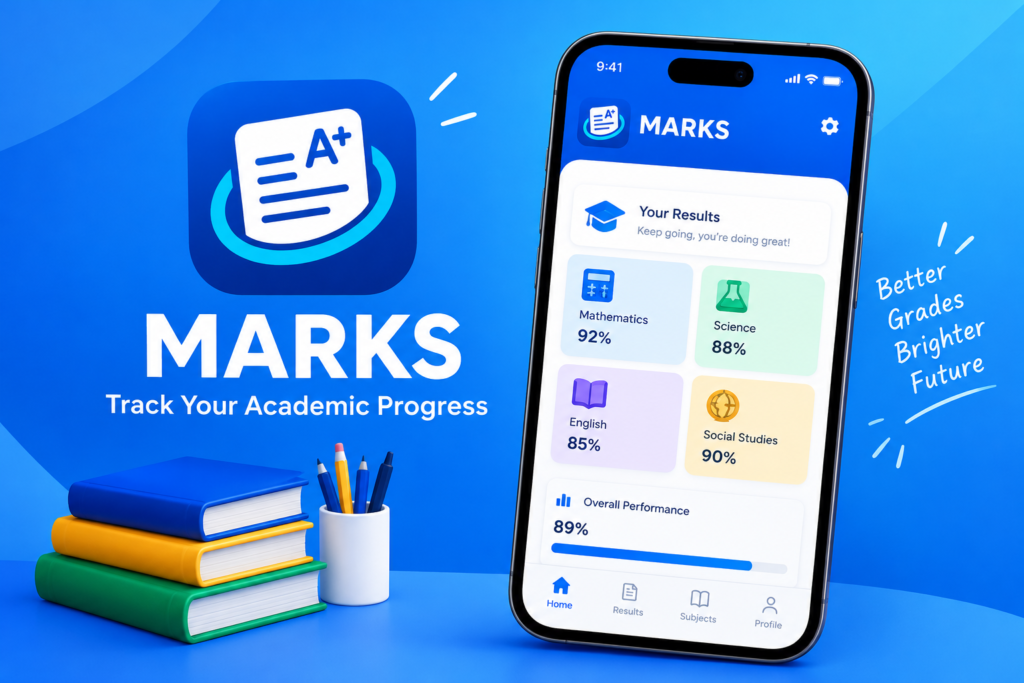
What Is the MARKS App?
MARKS is an educational app for students preparing for competitive exams in India. It provides previous-year questions, solutions, and practice resources for exams such as JEE Main, JEE Advanced, NEET, and several other entrance tests.
Instead of searching for separate question papers for every topic, students can use the available chapter-wise question bank to practise more systematically. The app also includes features such as daily practice challenges, goal tracking, and bookmarks for saving important questions.
You can explore the web version through the official MARKS website. The exact features and question coverage may vary by exam and the version you use.
MARKS App Features
The app includes several tools that can make daily exam preparation more organised.
Chapter-Wise Previous-Year Questions
One of the main features of the MARKS app is its collection of previous-year questions arranged by chapter. This is useful when you have finished studying a topic and want to check how well you understand it.
For example, after revising chemical bonding or mechanics, you can practise related questions instead of attempting questions from every subject at once.
Solutions for Questions
Practising questions is helpful, but understanding why an answer is correct matters just as much. MARKS provides solutions for its supported question sets, helping students review their approach after attempting a problem.
Try solving each question yourself before checking the solution. This makes it easier to identify whether the problem was caused by a weak concept, a calculation error, or a misunderstanding of the question.
JEE and NEET Preparation
MARKS is particularly relevant to students preparing for JEE Main, JEE Advanced, and NEET. Its chapter-wise practice format can help students revise topics and become more familiar with previous exam questions.
Other exams are also mentioned in app listings, including BITSAT, WBJEE, MHT CET, NDA, and KVPY. However, available question sets can differ, so check the app for the exam you are preparing for.
Daily Practice Challenges
A regular study routine is often more useful than studying for long hours only a few days before an exam. MARKS includes daily practice challenges and goal-tracking features that can help you maintain a routine.
You can set a realistic daily target, complete a practice session, and review your progress. Start with a manageable number of questions and increase it as you become more comfortable.
Bookmarks and Notebooks
Sometimes, you come across a question that takes several attempts to solve. Instead of searching for it again later, you can use the bookmarking and notebook features where available.
Save difficult questions and revisit them during revision. This is especially helpful before mock tests, when you want to review common mistakes without repeating every question you have already solved.
NTA Abhyas Practice Questions
The app listings also mention chapter-wise NTA Abhyas questions. These can provide another way to practise alongside previous-year questions, depending on the available content.
Check the relevant section inside the app to see which practice sets are currently available.
MARKS App Download
If you want to use MARKS on your Android phone, start by checking its official website or its listing on Google Play. Verify the app name and developer before downloading it.
You can begin here:
- Official web version: web.getmarks.app
- App information and download options: Check the official website for its current links to supported platforms.
If you find a MARKS APK on a third-party download site, check the version, file format, and source before installing it. A page labelled “latest version” does not necessarily mean the file is the newest official release.
How to Log In to the MARKS App
The login process can depend on whether you are using the web version or the mobile app. The web version provides a Google sign-in option on pages that require authentication.
Follow these general steps:
- Open the official MARKS website.
- Look for the login or sign-in option.
- Select Google login if it is offered.
- Choose the Google account you want to use.
- Follow the on-screen instructions to complete the process.
If you cannot log in, check your internet connection and make sure your browser allows the sign-in process to continue. Avoid entering your Google password on a page that does not belong to the genuine Google sign-in service.
Some sections may be available without signing in, while others can require an account.
How to Use Web Get MARKS App
The MARKS web version is useful if you prefer studying through a browser instead of installing another mobile app. It can also be convenient when you want to practise questions while working on a larger screen.
To get started:
- Visit web.getmarks.app.
- Sign in if the section you want requires an account.
- Find the available exam or practice section.
- Select a suitable chapter or question set.
- Attempt the questions and review the solutions.
- Save important questions for later revision if the feature is available.
The layout may look different from the Android app. If a particular feature is missing on the web version, check the mobile app to see whether it is supported there.
MARKS App for PC
If you want to use the MARKS app on a PC or laptop, you can start with the official web version. This is usually the simplest option because it lets you access the website through a browser without installing an Android emulator.
Open the official MARKS website in Chrome, Edge, or another supported browser. Sign in if needed and navigate to the available study resources.
WebCatalog also has a MARKS listing for desktop use. It is a separate service that can open web apps in a dedicated desktop window; it should not be confused with an official Windows version developed by MARKS.
If the website does not load properly on your computer, try updating your browser or opening the page in another browser.
Is the MARKS App Available for iOS?
If you use an iPhone or iPad, check the current official website and Apple App Store to confirm whether a supported iOS app is available in your region. If you cannot find an official iOS app, you can try opening the MARKS web version in Safari. Some web features may work on a mobile browser, although the experience may differ from the Android app. Similarly, if you enjoy mobile gaming and search for Free Fire redeem codes, make sure to check official sources for valid codes and redemption instructions.
Avoid installing unknown configuration profiles or unofficial apps that claim to provide access to MARKS on an iPhone.
Does the MARKS App Support GATE Preparation?
MARKS is widely associated with JEE and NEET preparation, along with several other competitive exams. However, exam coverage can change, and a listing for one exam does not guarantee that the app provides a complete question bank for GATE.
If you are preparing for GATE, open the app and search for the relevant exam or subject. Check the available question sets before relying on MARKS as your main preparation resource.
For an exam-specific study plan, make sure your practice material matches the current syllabus and exam pattern.
MARKS App Premium Price: Is It Free?
MARKS is described in its app listings as a free educational app. Its main purpose is to help students practise previous-year questions and review solutions. Similarly, if you are exploring the Instamatch App, check its official website or app store listing to understand its main features and whether it offers free and paid options.
However, pricing and access conditions can change. If you see a premium plan, check the official payment screen for the current price, billing period, and features included before subscribing.Do not assume that every feature is free or that a price shown on an unrelated website is accurate. Use the official app or website to confirm current details.
Tips for Getting Better Results with MARKS
Having a large question bank is useful, but the way you practise makes a difference. These simple habits can help you get more from the app.
- Choose one chapter at a time: Focus on a topic you have already studied instead of jumping between unrelated questions.
- Attempt questions before viewing solutions: Give yourself time to work through the problem independently.
- Save difficult questions: Use bookmarks or notebooks to create a personal revision list.
- Review mistakes regularly: Try to understand why an answer was wrong before moving on.
- Practise consistently: A small daily target is easier to maintain than an unrealistic schedule.
- Check the syllabus: Make sure the questions and study material match the current exam requirements.
For example, if you keep making mistakes in a particular Physics chapter, return to its concepts and practise similar questions before moving to the next topic. This helps you build understanding rather than simply increasing your question count.
Final Thoughts
The MARKS app can be a useful study companion if you want to practise previous-year questions, review solutions, and organise your revision by chapter. Its daily challenges and bookmarking features can also help you build a more consistent study routine.
If you are looking for MARKS app download, login help, or a way to use MARKS on PC, start with the official web version and check the available features for your exam. Use the question bank alongside your syllabus, textbooks, and mock tests so your preparation stays focused on what you need to learn.
Frequently Asked Questions

Hi, I’m Vikram Ashwin, a technology writer who enjoys covering useful apps, digital tools, photo editing trends, and the latest tech topics. My goal is to share clear information, useful tips, and straightforward explanations without unnecessary technical language.