
GeM Portal:Registration, Seller Login, Documents and Government Tenders
Have you ever wondered how a small business can sell products to government departments in India? A local supplier might provide office furniture, computers, cleaning materials or other useful products. But finding government buyers and understanding their purchasing process can feel confusing when you are just starting out.
This is where the GeM Portal comes in. It provides an online marketplace where eligible businesses can offer goods and services to government buyers. If you want to register as a seller, explore government tenders or understand how the platform works, this guide explains the process in simple words.
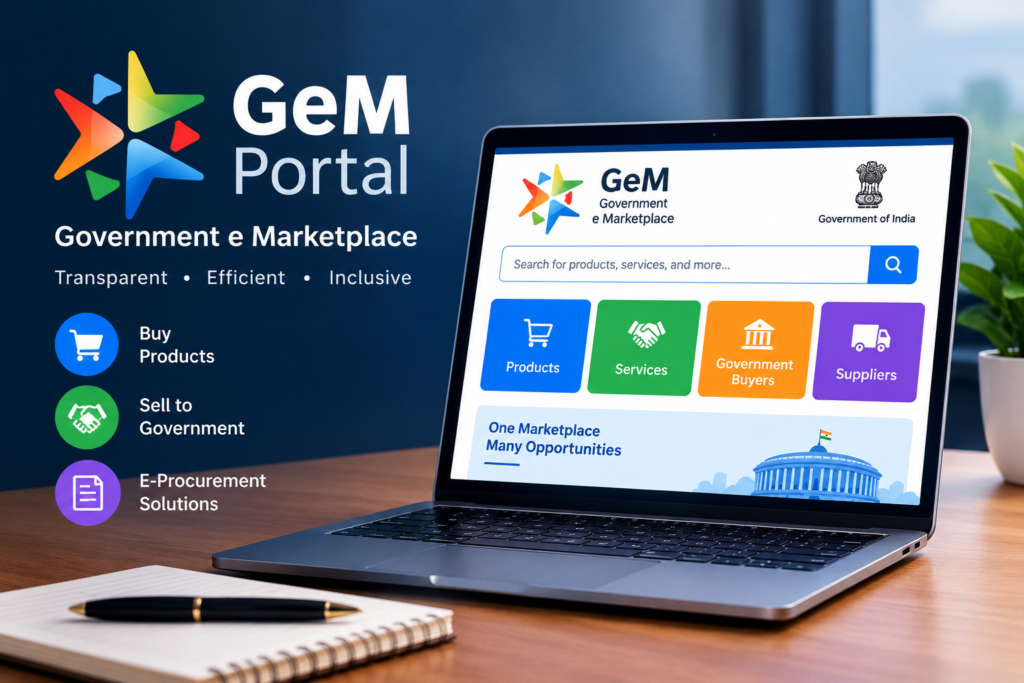
What Is the GeM Portal?
GeM stands for Government e-Marketplace. It is an online public procurement platform launched by the Government of India on 9 August 2016. It helps government departments, ministries, public sector organisations and other eligible buyers purchase goods and services through a digital system.
You can visit the official website at gem.gov.in.
Think of it as an online marketplace designed for government purchasing. However, it does not work exactly like Amazon or Flipkart. Sellers must complete the required registration and verification steps, follow the platform’s rules, and meet the conditions attached to the products, services or bids they want to offer.
For example, a business that supplies office chairs may use GeM to reach eligible government buyers. A company offering IT support or housekeeping services may also find suitable opportunities, depending on the relevant category and requirements.
Why Is the GeM Portal Important?
Before digital procurement became common, suppliers often had to deal with paperwork and separate purchasing procedures to find government business. GeM brings many purchasing activities into an online system.
Here are some of its main benefits:
- Wider market access: Eligible sellers can offer their products and services to government buyers across India.
- Online procurement: Buyers and sellers can complete relevant steps through the portal instead of relying entirely on physical paperwork.
- Product and service catalogues: Sellers can offer eligible products or services in the appropriate categories.
- Bidding opportunities: Businesses can participate in suitable bids when they meet the stated conditions.
- Greater transparency: Digital records and defined procurement procedures help buyers and sellers track transactions.
- Opportunities for smaller businesses: Eligible MSMEs and startups may benefit from applicable procurement preferences or exemptions, subject to the rules of a particular purchase or bid.
Remember that registering on GeM does not guarantee an order. Your product, price, eligibility, documentation and ability to meet the buyer’s requirements all matter.
Who Can Register on the GeM Portal?
The platform is designed for eligible businesses and service providers that want to supply goods or services to government buyers.
Depending on the registration category and current platform rules, eligible participants may include:
- Proprietorship businesses
- Partnership firms
- Limited liability partnerships
- Private limited companies
- Manufacturers
- Authorised resellers and distributors
- Service providers
- Eligible micro, small and medium enterprises (MSMEs)
- Eligible startups
The documents and verification requirements can differ depending on the type of business and the activity you want to carry out.
For example, a manufacturer selling its own products may have different catalogue or authorisation requirements from a distributor selling products made by another brand.
Before beginning registration, confirm that your business structure and proposed activity meet the current GeM requirements.
Documents Required for GeM Portal Registration
Preparing your documents first can make registration easier. If you start without the necessary information, you may need to stop halfway through the process.
Commonly relevant details and documents may include:
| Document or detail | Why it may be needed |
|---|---|
| PAN details | Business and tax-related verification |
| Aadhaar details | Identity verification for the relevant authorised person |
| Active mobile number and email | Verification codes and account communication |
| Bank account details | Payment and financial verification |
| Business registration details | Confirmation of the legal business structure |
| GST details | Where applicable to your business and registration |
| Udyam Registration | To establish eligible MSME status where relevant |
| Product or service information | To create or manage your catalogue |
| Brand authorisation | Where required for selling another company’s products |
This is a general checklist, not a guarantee that every applicant needs exactly the same documents. GeM may ask for additional information based on the account type, business structure, category or transaction.
Keep your business details consistent across documents. Differences in names, addresses or other information can create verification problems.
How to Register on the GeM Portal
If you are new to government procurement, the registration process may look complicated at first. Breaking it into smaller steps makes it easier to understand.
Step 1: Visit the Official Website
Open https://gem.gov.in/ in your browser. Check the address carefully before entering personal or business information.
Avoid sponsored pages or unofficial services that claim they can register your business through a special shortcut.
Step 2: Choose the Seller Registration Option
Look for the seller or service-provider registration option on the official website. Follow the current instructions shown on the portal.
Read the declarations and eligibility conditions before proceeding. Registration options and screen layouts can change over time.
Step 3: Enter Your Business Details
Provide the information requested for your business and its authorised representative. Depending on the applicable process, this may include PAN, identity details, business information and contact details.
Check everything before submitting it. A small typing mistake can cause delays later.
Step 4: Complete the Required Verification
Follow the portal’s instructions for identity, business and other required checks. Keep your registered mobile number and email accessible so you can receive verification messages.
If the portal requests supporting documents, upload the correct files in the required format.
Step 5: Add Your Bank Details
Enter the bank information requested during registration. Make sure the account details are accurate and match the required business or beneficiary information.
Do not share banking passwords, OTPs or confidential login details with anyone offering to complete the process for you.
Step 6: Review and Complete Registration
Check the information you have submitted and finish the steps shown on the portal. Once your registration is accepted, follow the instructions to access your seller account.
Registration alone does not mean that every product or service is automatically approved for sale. You may need to complete additional steps before creating a catalogue or participating in a particular bid.
What Is GeM Seller Login?
GeM seller login is the process of accessing your registered seller account on the official portal. Sellers use their accounts to manage relevant business details and carry out activities permitted for their account.
After signing in, you may be able to manage your catalogue, review available bid opportunities, respond to eligible bids, check orders and follow transaction-related updates.
If you cannot log in, first check whether you are using the correct official website and account credentials. Follow the portal’s password recovery or account support instructions if needed.
Never share your login details or verification codes with an unknown person who promises to secure government orders.
How to List Products on the GeM Portal
After completing the required seller registration steps, the next task may be creating a product catalogue. This is where you provide the information buyers need to understand what you sell.
Choose the Correct Product Category
Select the category that matches your actual product. Choosing an unrelated category simply because it appears popular can lead to problems with catalogue approval or buyer expectations.
Enter Accurate Product Details
Depending on the category, you may need to provide details such as:
- Product name and specifications
- Brand and model information
- Images
- Price and applicable tax details
- Warranty or support information, where relevant
- Other category-specific technical information
For example, if you supply office chairs, buyers may need to know the material, dimensions, features and warranty terms. Missing details can make it harder for them to compare your offer with other available products.
Check Brand and Authorisation Requirements
If you manufacture a product yourself, follow the applicable manufacturer and catalogue requirements. If you sell another brand, check whether brand or OEM authorisation is required for that product category.
Do not use another company’s brand name or product details without the necessary rights or authorisation.
Review Your Catalogue
Before submitting the catalogue, verify the specifications, images, pricing and other details. Accurate information can help prevent misunderstandings after an order is placed.
What Are GeM Tenders?
GeM tenders are procurement opportunities published through the platform for eligible sellers to supply specified goods or services. A tender or bid normally describes what the buyer needs and the conditions suppliers must meet.
Depending on the procurement, the documents may include:
- Product or service specifications
- Eligibility conditions
- Quantity and delivery location
- Bid submission deadline
- Technical requirements
- Financial requirements
- Required declarations and supporting documents
- Delivery, warranty and payment conditions
For example, suppose a government organisation needs 200 computers. The bid may specify processor requirements, memory, storage, warranty, delivery location and other conditions. A supplier should check each requirement before deciding to participate.
A tender that looks suitable at first may still be a poor fit if your business cannot meet its technical, financial or delivery requirements.
How to Find and Apply for GeM Tenders
If you want to participate in a government bid, follow a careful process instead of submitting an offer as soon as you see a relevant product name.
Step 1: Search for Relevant Opportunities
Sign in to your seller account and use the available search or bid sections to find opportunities related to your products or services.
Use specific terms that match what your business supplies. A supplier of office furniture, for example, should look for relevant furniture categories and requirements rather than searching every available bid.
Step 2: Read the Complete Bid Document
Do not rely only on the title or a short description. Review the technical specifications, eligibility criteria, delivery requirements, deadlines and all other relevant conditions.
If a bid requires past experience or a particular certification, check whether your business can provide the required evidence.
Step 3: Calculate Your Costs
Work out the total cost of supplying the order. Include product costs, packaging, transport, installation if required, taxes and other applicable expenses.
Imagine that your cost to supply an item is ₹8,000, but your quoted price is ₹8,200. After delivery and other expenses, your actual profit could be much smaller than expected.
A low quote may help you compete, but it is not useful if fulfilling the order causes a loss.
Step 4: Prepare the Required Documents
Collect the declarations, technical information and supporting documents requested in the bid. Check that the files are readable and follow the specified format.
Do not assume that a document used for an earlier tender will automatically meet the requirements of a new one.
Step 5: Submit Your Bid Before the Deadline
Follow the current portal instructions to prepare and submit your response. Review the information carefully before the final submission.
Allow enough time for document uploads and any required verification. Waiting until the final few minutes can create avoidable problems.
Step 6: Track the Bid Status
After submission, monitor the bid through your account. Read any official updates, clarifications or changes to the procurement conditions.
Submitting a bid does not guarantee that you will receive the order. The buyer evaluates offers according to the applicable procurement rules and bid conditions.
What Is the Difference Between a GeM Seller and a Buyer?
The platform serves both sides of government procurement, but their responsibilities are different.
| GeM seller | GeM buyer |
|---|---|
| Offers eligible goods or services | Searches for goods or services needed |
| Creates or manages relevant catalogues | Reviews available offers and procurement options |
| Participates in eligible bids | Publishes or manages procurement requirements |
| Supplies products or performs services | Receives and evaluates the supply or service |
| Follows order and delivery conditions | Completes the applicable acceptance and payment process |
A business that wants to supply government departments generally needs the relevant seller registration. Government buyers use the appropriate buyer-side account and purchasing procedures.
How Does Payment Work on the GeM Portal?
Payment depends on the purchase terms, delivery or service completion, required acceptance records and the applicable payment process.
For a goods order, a seller may need to deliver the products according to the order and provide the required documentation. The buyer or receiving authority then completes the applicable inspection or acceptance steps.
For services, the required completion records and approval process may be different.
Keep copies of purchase orders, invoices, delivery records and relevant communications. If payment is delayed, review the order status and official payment information before raising a support request through the available channels.
Do not assume that every order follows an identical payment timeline. Check the applicable contract terms and current GeM procedures.
GeM Portal for MSMEs and Small Businesses
For a small business, reaching government buyers can be difficult without knowing where procurement opportunities are published. GeM provides another channel to explore, but businesses should prepare before investing time in bids.
If you run an MSME, consider these practical steps:
- Keep your Udyam and other relevant business details updated.
- Select products or services that your business can reliably supply.
- Read the eligibility requirements of each bid.
- Check whether any MSME preference or exemption applies to that particular procurement.
- Maintain enough working capital to handle supply costs and payment processing.
- Start with opportunities that match your actual capacity and experience.
Eligible MSMEs may receive certain procurement benefits under applicable rules. However, an exemption or preference is not automatic for every tender. Read the bid conditions and provide the required supporting evidence.
Common Mistakes to Avoid on the GeM Portal
Some problems arise because sellers rush through registration or focus only on winning an order.
Uploading incorrect information: Incorrect business details, specifications or supporting documents can delay the process. Review everything before submitting it.
Choosing the wrong product category: An inaccurate catalogue can confuse buyers and may not meet category requirements. Use the correct category and provide genuine product information.
Ignoring bid conditions: A low price cannot compensate for missing mandatory documents or unmet technical requirements. Read the complete bid before participating.
Quoting without calculating costs: Include delivery, taxes and other relevant expenses when deciding your price. Otherwise, a successful bid could become financially difficult to fulfil.
Missing deadlines: Track closing dates and any official updates. Submit your response with enough time to handle technical issues.
Trusting unofficial agents: Be cautious of anyone promising guaranteed government orders or asking for confidential account information. Use the official portal and verify any service before paying for it.
Is GeM Registration Free?
Do not assume that every activity connected with GeM has the same fee conditions. Check the official registration instructions, current terms and any applicable charges for the service or transaction you intend to use.
You should also distinguish official platform requirements from fees charged by private consultants or intermediaries. A consultant’s service charge is not automatically an official GeM fee. Similarly, if you are exploring a Mudra Loan to support your business, check the official scheme details and applicable bank charges before proceeding.
Before paying anyone, confirm what the payment covers and whether the service is actually necessary..
Is the GeM Portal Safe to Use?
The official GeM Portal is a government procurement platform, but users still need to protect their accounts and business information.
Use these precautions:
- Open the official website directly: https://gem.gov.in/
- Check the web address before entering your credentials.
- Never share your password or OTP with an unknown person.
- Keep your registered email and mobile number secure.
- Read official bid documents rather than relying on messages from agents.
- Verify any payment request through the appropriate official channel.
- Contact official support if you encounter a suspicious account or transaction issue.
If someone claims they can guarantee a government contract in exchange for an unofficial payment, treat the offer carefully. No genuine registration or consultancy service can guarantee that a buyer will award you an order.
Final Thoughts
The GeM Portal can help eligible businesses explore a different way to work with government buyers. But success is not just about creating an account. You need accurate business information, suitable products or services, careful pricing and a clear understanding of the conditions attached to each order or bid.
If you are new to GeM, begin by visiting the official website, reviewing the seller requirements and preparing your documents. Once your account is ready, focus on opportunities that fit your business instead of trying to bid on everything. Similarly, if you enjoy exploring apps like Facebook Mod APK, make sure you understand their features and potential privacy risks before installing them. A careful start can save time, reduce mistakes and help you understand how government procurement works..
Frequently Asked Questions

Hi, I’m Vikram Ashwin, a technology writer who enjoys covering useful apps, digital tools, photo editing trends, and the latest tech topics. My goal is to share clear information, useful tips, and straightforward explanations without unnecessary technical language.