
AI Hairstyle Generator Try Haircuts & Hair Color Online Free In 2026
Choosing a new hairstyle sounds simple until you actually have to sit in the barber’s chair. A haircut that looks great on someone else may look completely different on your face. This is where an AI Hairstyle Generator can help. Instead of trying to imagine how you will look with short hair, long layers, bangs, curls or a new hair color, you can upload your own photo and see a digital preview first.
AI hairstyle tools have become useful for more than just fun. You can use them before a haircut, before coloring your hair, while looking for a new style, or even when you want to show a clear idea to your barber or stylist. The result is not a guarantee of how your real hair will look, but it can give you a much better starting point than looking at random hairstyle photos online.
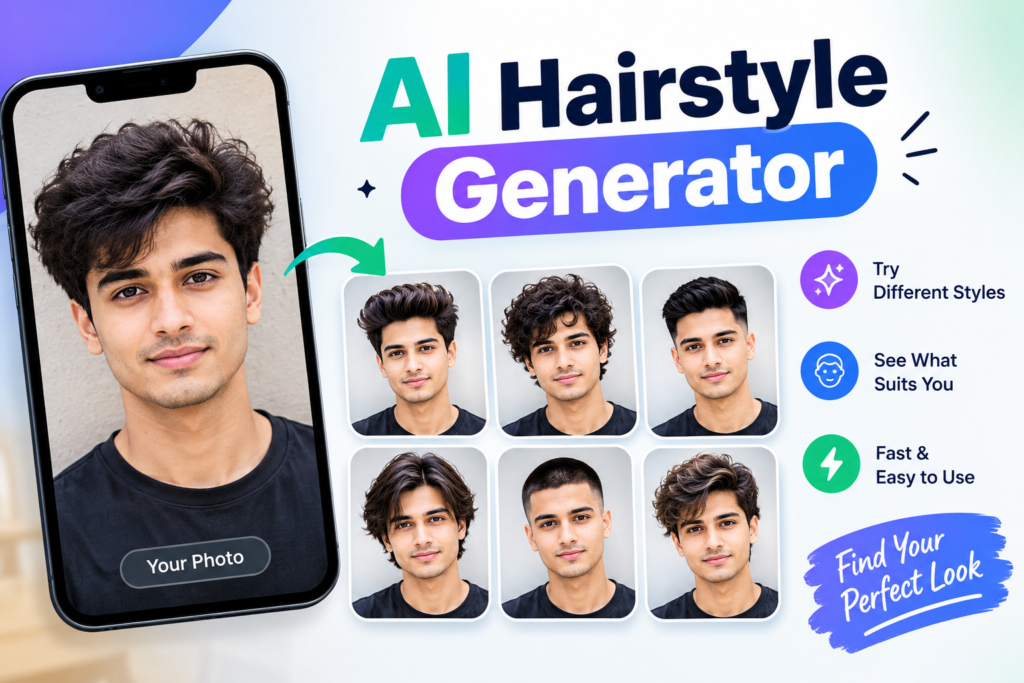
What Is an AI Hairstyle Generator?
An AI Hairstyle Generator is an online tool that uses artificial intelligence to change the hairstyle in your photo. You normally upload a clear selfie, select a hairstyle or hair color, and let the tool create a new version of your image.
The AI tries to keep important parts of your original photo such as your face, skin tone and background while changing the hair. Depending on the tool, you may be able to try short hair, long hair, fades, curls, bangs, braids, bobs, pixie cuts, different colors and other popular styles.
The best part is that you can experiment without actually cutting or coloring your hair. If you are thinking about a major change, seeing a preview on your own face can make the decision much easier.
Why Use an AI Hairstyle Generator?
The biggest reason is simple: you can see before you decide. A picture of a hairstyle on a model does not always tell you how the same cut will look with your face shape, hairline and overall appearance.
Imagine that you are thinking about getting curtain bangs. You can search for hundreds of examples online, but you still have to guess how they will look on you. With an AI hairstyle generator, you can upload your own photo and create a preview before making the real change.
It can also help when you want to explain an idea to a barber. Instead of saying “I want something shorter on the sides with a little volume on top,” you can show a generated image as a visual reference. Your stylist can then adjust the idea according to your actual hair type and face shape.
How Does an AI Hairstyle Generator Work?
Most tools follow a simple process. First, you upload a photo where your face and hair are clearly visible. The AI analyzes the image and identifies areas such as your face, head shape, hairline and existing hair.
You then choose a hairstyle, hair length or color. Some tools use ready-made templates, while others allow you to describe the look you want with text. The AI then creates a new image that shows the selected style on your photo.
The quality depends heavily on the original image. A clear front-facing selfie with good lighting usually gives the AI more information to work with than a dark photo, side profile or picture where your hair is covered.
Best Features of an AI Hairstyle Generator
Try Different Haircuts
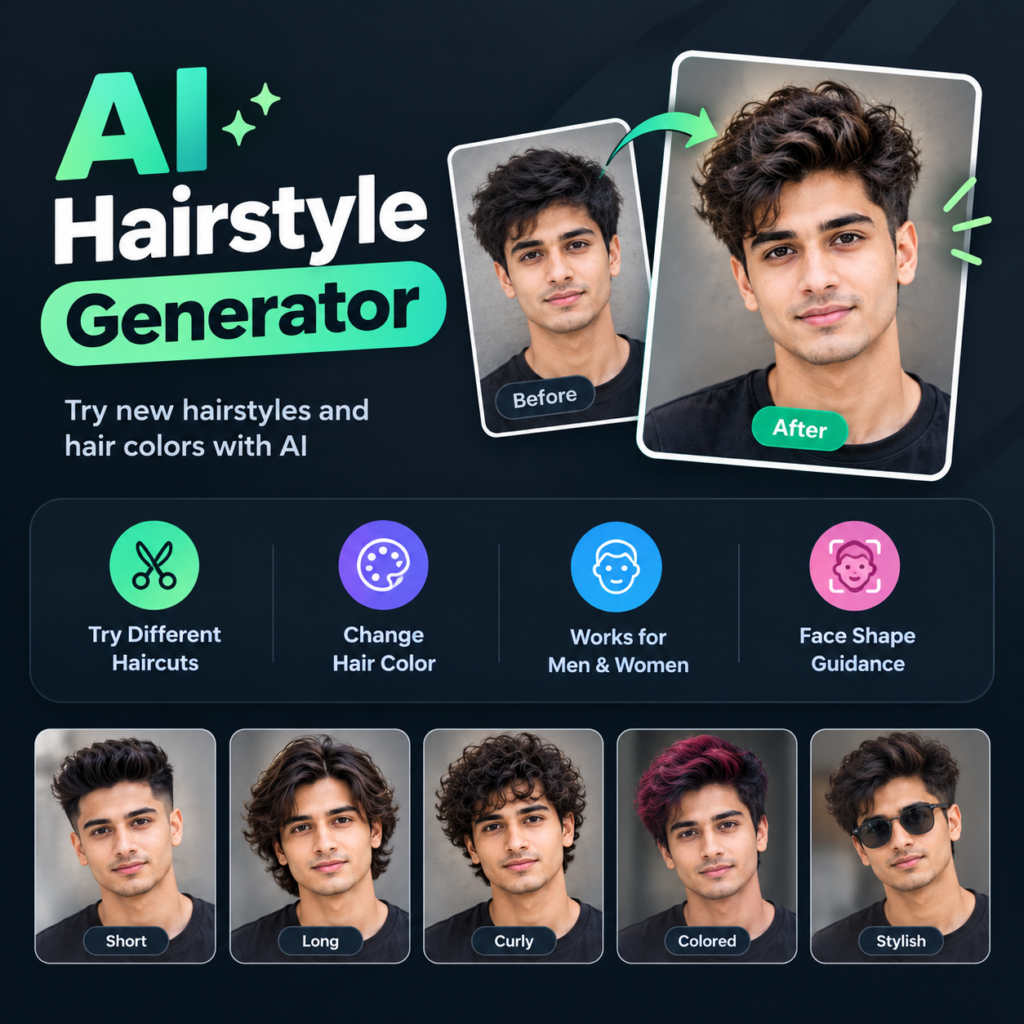
You can experiment with many different haircut ideas without actually touching your hair. Depending on the tool, you may find options such as fades, buzz cuts, crew cuts, bobs, pixie cuts, layered hair, bangs, long hairstyles and curly looks.
This is especially useful if you are bored with your current style but do not know what to try next. Instead of choosing one haircut immediately, you can compare several options and narrow them down.
Change Hair Color
An AI Hairstyle Generator can also help you preview hair colors. You can test natural shades such as black, brown, blonde and red or experiment with more noticeable colors such as pink, blue and other creative shades.
Color previews are useful because the same color can feel different depending on your skin tone, lighting and existing hair. An AI preview gives you an idea of the overall look before you make a permanent change.
Hairstyles for Men and Women
Modern AI hairstyle tools are not limited to one type of haircut. You can find styles for men and women across different hair lengths and textures.
Men can experiment with fades, buzz cuts, textured styles, longer tops, curls and other modern looks. Women can try bobs, bangs, layers, braids, pixie cuts, long hairstyles and different color combinations.
Face Shape Guidance
Some AI hairstyle tools include face-shape features that help users explore styles based on facial structure. Common categories include round, oval, square, heart and oblong face shapes.
This can be useful when you have no idea what style to choose. However, face shape should not be treated as a strict rule. Hair texture, thickness, hairline, personal style and how much maintenance you want also matter.
Try Multiple Styles From One Photo
One good photo can be used to test several different hairstyles. You do not need to take a new selfie every time you want to compare another style.
This makes it easier to create a small collection of your favorite looks. You can place the results side by side and decide which one feels most natural for you.
Before and After Comparison
A before-and-after comparison can make the difference between styles easier to see. Your original photo gives you a reference point while the AI version shows the possible change.
This is also useful when discussing a haircut with someone else. You can show your barber or friends several versions and ask which one looks most suitable.
Realistic Hair Preview
Good AI hairstyle tools try to blend the new hair with your face and the lighting in the original picture. This can make the result feel more natural than simply placing a hairstyle image over your head.
Still, an AI preview should be treated as an idea rather than an exact prediction. Real hair has texture, thickness, movement and natural growth patterns that an image cannot fully reproduce.
Hairstyle Ideas for Special Occasions
You can also use an AI hairstyle generator when preparing for an event. Weddings, parties, graduations, interviews and photoshoots can all be good reasons to test a different look.
For example, you might compare a clean short style with a longer textured look before an important event. This gives you time to decide instead of trying something completely new on the same day.
AI Hairstyle Generator for a Haircut Decision
One of the most practical uses is preparing for a salon or barber appointment. Many haircut problems happen because the customer and stylist imagine the requested style differently.
A generated preview gives both people something visual to discuss. You can show the image and explain what you like about it, while your stylist can tell you what needs to be changed based on your real hair.
For example, an AI image may show a very full hairstyle, but your natural hair may be thinner. Your stylist can use the picture as inspiration and create a version that works with your actual hair instead of copying the image exactly.
How to Choose the Right Hairstyle With AI
Do not start by selecting the most popular hairstyle. Start by thinking about your daily routine. If you do not want to spend twenty minutes styling your hair every morning, a high-maintenance haircut may not be the best choice even if it looks great in the preview.
Your face shape can also give you ideas, but it should not control the entire decision. Think about your hair texture, thickness, hairline and the amount of time you are willing to spend on styling.
It is also smart to compare at least three or four different looks. You may discover that the hairstyle you initially wanted is not your favorite once you see it on your own face.
How to Use an AI Hairstyle Generator
Step 1: Take a Clear Photo
Choose a front-facing photo where your face and hair are easy to see. Good lighting is important because shadows can make it harder for the AI to understand your hairline and facial features.
Avoid wearing a hat or anything that covers a large part of your hair. If possible, use a simple background and keep your face in a natural position.
Step 2: Upload Your Photo
Open the AI hairstyle tool and upload your image. Some platforms work directly in a browser, while others are available through apps or larger editing platforms.
Check the image requirements before uploading. Different tools may support different file types and image sizes.
Step 3: Select a Hairstyle
Browse the available styles and choose something you would genuinely consider wearing. You can start with a style close to your current haircut and then move toward more dramatic changes.
If the tool supports text instructions, you can describe the look you want. For example, you might ask for short textured hair, a low fade, long layers or soft curtain bangs.
Step 4: Try Different Colors
Once you find a haircut you like, experiment with color. Start with natural shades and then try something more creative if you want a bigger change.
Comparing colors on the same hairstyle can help you understand which combination you actually prefer.
Step 5: Compare Your Results
Do not judge the first result immediately. Generate a few different versions and compare them using the same photo.
Look at the overall balance of the hairstyle with your face. Ask yourself whether you would actually want to maintain that haircut every day.
Step 6: Show the Result to Your Barber
Once you have a style you like, save the image and show it to your barber or stylist. Explain what you like about the result instead of simply asking them to copy it perfectly.
A professional can adjust the haircut according to your hair thickness, texture, hairline and natural growth pattern.
What Kind of Photo Gives the Best Result?
Your photo can make a big difference to the final AI result. A clear front-facing picture with good lighting is usually a better choice than a blurry selfie taken in a dark room. If you are also using apps like JelloChat APK, make sure you choose a clear photo before uploading it to any AI hairstyle tool.
Try to keep your face relaxed and make sure your current hair is visible. Sunglasses, hats, heavy shadows and hair covering your face can make the transformation less accurate.
You also do not need a professional camera. A normal phone camera can work well if the image is clear and the lighting is good.
Can AI Really Tell Which Hairstyle Suits You?
AI can give you useful suggestions, but it cannot completely decide what hairstyle is best for you. A generated image is based on visual information, while a real haircut also depends on your hair texture, density, growth pattern and styling routine.
This is why it is better to use AI as a planning tool. It can help you discover ideas and compare different looks, while a barber or stylist can make the final decision based on your real hair.
Is an AI Hairstyle Generator Accurate?
The result can look surprisingly realistic, but it should not be treated as an exact prediction. AI works with a photograph, while your real hair has physical properties that cannot be completely represented in a single image.
For example, an AI preview may give you thick-looking bangs even if your natural hair is thin. A generated curly hairstyle may also look different in real life because your natural curl pattern may not match the AI version.
The best approach is to use the image as a reference. Take it to your stylist and let them explain what parts of the look will work with your real hair.
Is It Safe to Upload Your Photo?
Before using any AI photo tool, check its privacy information. Different services have different rules about how uploaded images are processed, stored and deleted. If you use apps such as Insta Pro APK for managing or sharing photos, it is also worth keeping your personal images organized and checking what information you share online.
Do not upload photos containing sensitive documents, private information or other people without their permission. If you are only testing hairstyles, a normal personal selfie is usually enough.
It is also worth checking whether the service requires an account, uses credits or has limits on free generations before you start creating many images.
Free AI Hairstyle Generator Options
Some AI hairstyle tools offer free previews or free credits, while others place certain styles or unlimited generations behind a paid plan. The exact limits can change, so it is better to check the current pricing and usage rules of the tool you choose.
A free tool can be enough if you only want to test two or three hairstyles before a haircut. If you regularly create hairstyle images for social media, beauty content or salon work, a paid option may provide more styles and higher usage limits.
AI Hairstyle Generator for Content Creators
AI hairstyle tools can also be useful for creators who make beauty, fashion or lifestyle content. Instead of creating a real hairstyle for every photo, you can experiment digitally and create different visual ideas from one picture.
You can use the results for before-and-after posts, hairstyle comparisons, social media ideas or educational content. Canva, for example, connects hairstyle editing with its wider design features, allowing users to continue working with the generated image inside the design platform.
AI Hairstyle Generator for Salons and Barbers
Hair professionals can use AI previews as a communication tool during consultations. A client may have difficulty explaining what they want, but a visual example can make the conversation easier. Just like someone might use GTA 6 APK screenshots or visuals to explain a gaming idea, a hairstyle preview gives the stylist something clear to look at.
The AI image does not have to be treated as the final haircut. Instead, it can help the stylist understand the direction the customer wants and then adjust the idea according to the client’s actual hair..
Common Problems With AI Hairstyle Tools
Sometimes the generated hairstyle may not match the face correctly. You may notice strange hairlines, unnatural edges, incorrect hair volume or a style that does not look connected to the original head.
This can happen when the uploaded photo is unclear or when the requested hairstyle is very different from the person’s existing hair. Trying another photo with better lighting can sometimes produce a better result.
Another common issue is that some tools may generate a style that looks good from the front but does not tell you how the haircut will look from the side or back. This is another reason not to treat an AI image as a complete replacement for professional advice.
Tips for Getting Better AI Hairstyle Results
Use a clear front-facing photo and good natural lighting. Keep your face visible and avoid covering your hairline with hats or other objects.
Try styles that match your real hair type before jumping into something completely different. If you have straight hair, for example, start by testing different straight hairstyles before moving to a highly curly look.
Generate several options and compare them instead of choosing the first result. Most importantly, save your favorite preview and show it to your barber or stylist before making the actual change.
Who Should Use an AI Hairstyle Generator?
An AI hairstyle generator is useful for anyone who is unsure about a new haircut or hair color. It can be especially helpful if you are planning a major change and want to reduce the guesswork.
It can also help people who are growing their hair, thinking about going short, preparing for an event or simply looking for fresh ideas. You do not need to be a beauty expert to use it.
Final Thoughts
An AI Hairstyle Generator gives you a simple way to experiment with haircuts, lengths and colors before making a real change. Instead of wondering whether a style will suit you, you can create a preview using your own photo and compare several possibilities.
The most useful way to use these tools is not to expect a perfect prediction. Use the AI image as a visual guide, think about your real hair type and daily routine, then show your favorite result to a barber or stylist. That combination gives you the creative freedom of AI while keeping the final decision realistic.
Frequently Asked Questions

Hi, I’m Vikram Ashwin, a technology writer who enjoys covering useful apps, digital tools, photo editing trends, and the latest tech topics. My goal is to share clear information, useful tips, and straightforward explanations without unnecessary technical language.