
Action Notch APK Letest v1.7.3 Download (Premium Unlocked)
Most people never think twice about the notch or camera cutout on their phone. It just sits there at the top of the screen doing nothing. I only noticed how much wasted space it was after a friend showed me Action Notch on his phone. One tap on the cutout turned on his flashlight instantly.
The good part is that Action Notch does not need root access or any complicated setup. You install the app, grant one permission, and your notch becomes a working shortcut button within a minute.
This guide covers what Action Notch does, how to download and install it, and how to set up your first gesture shortcut.
What Is Action Notch APK?
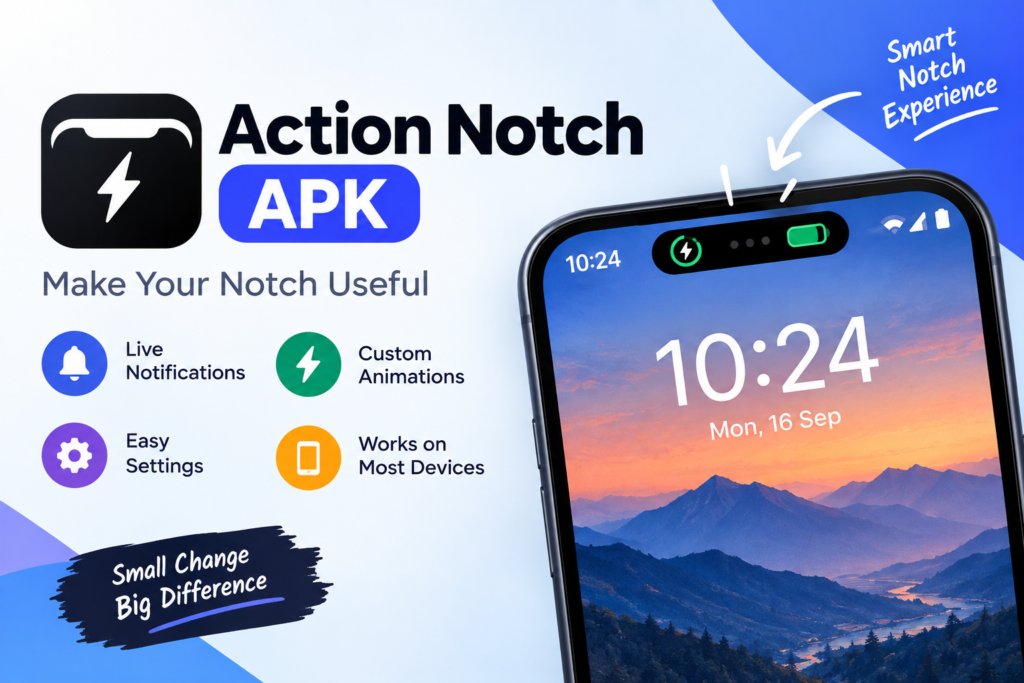
Action Notch, developed by Androxus, is a tools app for Android that turns your camera notch or punch hole cutout into a gesture controlled shortcut zone. A single tap, double tap, long press, or swipe near the cutout can trigger an action you choose, similar to how Assistive Touch works on other phones.
The app uses the Android Accessibility Service to place an invisible button around your camera cutout. According to the developer this happens entirely on the device and no personal data is collected or sent anywhere.
Action Notch Quick Overview
- Developer: Androxus
- Category: Tools
- Android Version Required: 7.0 or higher
- App Size: Around 8 to 15 MB depending on version
- Price: Free to download
- Downloads on Google Play: Over 1 million
Key Features of Action Notch
- Flashlight toggle: Turn your phone into a torch with one tap on the notch.
- Screenshot capture: Take a screenshot without pressing any physical buttons.
- Screen off: Lock your screen instantly from the notch area.
- Quick camera launch: Open the camera app without hunting for the icon.
- App shortcuts: Assign your favourite apps like calculator or a payment app to a gesture.
- Recent apps and power menu: Access system menus that usually need button presses.
- Brightness and Do Not Disturb controls: Adjust common settings directly from the notch.
How to Download and Install Action Notch APK
- Open Google Play Store on your phone and search for Action Notch Touch The Notch.
- Tap Install and wait for the download to finish.
- Open the app once installation completes.
- Grant the Accessibility Service permission when the app asks for it. This step is required for the notch button to work.
- The invisible shortcut zone appears around your camera cutout right away.
If your device does not show the app on Google Play you can download the official APK file directly from the developer’s page. Always avoid random third party sites when downloading any APK, since fake copies can carry harmful code.
How to Set Up Your First Gesture
- Open the Action Notch app.
- Choose a gesture type such as single tap, double tap, long press, or swipe.
- Select the action you want that gesture to trigger, like flashlight or screenshot.
- Save your setting and test it by performing the gesture near your notch.
- Repeat the process for other gestures until your shortcuts feel natural.
Common Problems With Action Notch
- Notch button not responding: Check that the Accessibility Service permission is still turned on in your phone settings, since some devices disable it automatically to save battery.
- App not visible on Google Play: This usually happens on very old Android versions below 7.0. Check your Android version before installing.
- Gesture triggers the wrong action: Reopen the app and confirm the gesture is mapped to the correct shortcut, since settings can sometimes reset after an update.
- App drains battery faster: Turn off gestures you rarely use, since every active shortcut runs a small background listener.
Devices and Brands Action Notch Works On
Action Notch is built for any Android phone with a notch or a punch hole camera cutout. This covers most brands sold today. It works on Samsung, Xiaomi, Realme, Vivo, Oppo, OnePlus, Motorola, and stock Android devices. The only requirement is Android 7.0 or higher. Some newer phones with an under display camera have no visible cutout. On those devices the gesture zone may not have a clear area to sit around.
Action Notch vs Built-In Phone Gestures
Many phones already include a version of this idea. Samsung’s Edge Panel is one example. Some custom Android skins offer a system-level Assistive Touch too. Those tools are locked to specific brands. They usually live in a floating bubble that covers part of your screen. Action Notch works differently. It uses the notch itself as the trigger zone. There is no floating icon sitting on top of your content. The same feature works the same way across almost any Android brand.
Permissions Action Notch Asks For
The only major permission Action Notch requests is the Accessibility Service. This lets the app detect taps and swipes near your camera cutout. It then responds with the action you assigned. Some individual shortcuts need their own extra permission. The quick camera launch shortcut needs camera access. The screenshot feature needs storage access. You can review and revoke any of these permissions later from your phone’s app settings without uninstalling the app.
Pros and Cons of Action Notch
Pros:
- Works on almost any Android phone with a notch or cutout
- No root access required
- Free core version with a wide range of shortcuts
- Runs on-device with no personal data collected according to the developer
- Reduces wear on physical buttons over time
Cons:
- Some shortcuts need extra permissions like camera or storage access
- A few budget devices may show inconsistent gesture detection
- Certain phone brands aggressively kill background accessibility services to save battery. This can stop the app from working until you whitelist it.
Tips to Get the Most Out of Action Notch
- Whitelist the app in your battery settings. This stops the system from shutting down the accessibility service in the background.
- Start with shortcuts you already reach for daily like flashlight or screenshot before adding less common ones.
- Use different gesture types for different actions. Try single tap for flashlight and long press for screen off. This avoids triggering the wrong shortcut by accident.
- Check for app updates regularly. New versions often add extra shortcut options.
Yes, when downloaded from Google Play or the developer’s own page. The app only asks for the Accessibility Service permission needed to detect gestures near the notch, and the developer states no personal data leaves your device. As with any app, stick to official sources for eshram card and government tools too, the same rule about avoiding unofficial third party downloads and using the official portal applies to keep your device and your data safe.
Final Thoughts
Action Notch is a small utility with a genuinely useful idea behind it. Instead of leaving your camera cutout as dead space, it turns that exact spot into a shortcut hub for the actions you already reach for dozens of times a day.
Start with two or three gestures you will actually use, like flashlight and screenshot. Once those feel natural you can build out the rest of your shortcuts over time. For more app guides and how-to content visit our homepage.
Frequently Asked Questions

Hi, I’m Vikram Ashwin, a technology writer who enjoys covering useful apps, digital tools, photo editing trends, and the latest tech topics. My goal is to share clear information, useful tips, and straightforward explanations without unnecessary technical language.